Technology made simple
What Tablet Should You Choose for an Older Adult?
Screen size, comfort, readability, sound and simplicity: the factors that actually matter when choosing well.
Elodia editorial team · September 10, 2026 · 7 min read
Choosing a tablet for an older adult isn’t really about finding the most powerful model or the one with the most features.
For someone who isn’t very familiar with technology, comfort, simplicity and readability usually matter far more than technical specifications.
The right tablet can make video calls, photos, music, games, conversations and everyday activities much easier to enjoy. Here are the main senior-friendly factors worth considering.
1. Choose a screen of 10 inches or more
Screen size is probably one of the first things to think about.
A phone can work well for some people, but its smaller screen often makes text, buttons and images harder to see and tap accurately.
For using Elodia, we generally recommend a tablet of 10 inches or larger. That size leaves enough room for large text and large controls, while staying compact enough to use in an armchair, at the kitchen table or wherever your parent spends time.
A much bigger tablet isn’t automatically better, either — weight and bulkiness become real factors too.
2. Consider weight and how the tablet will be used
Before buying a tablet, think about where your loved one will actually use it most.
Will it be held in their hands? Set on a table? Used from an armchair or in bed?
For longer sessions, holding a tablet can get tiring. A stable stand lets it sit at a comfortable angle without needing to be held the whole time.
It can also help to try a few positions together. A few minutes of testing is often enough to see what feels comfortable.
3. Prioritize simplicity over performance
For looking at photos, listening to music, making video calls or using an app like Elodia, you generally don’t need the most powerful tablet on the market.
For an older adult, a few other things tend to matter more:
- a large enough screen
- clear, easy-to-read text
- a volume that’s simple to adjust
- reliable Wi-Fi
- reasonable battery life
- a tablet that’s easy to charge
- a camera for video calls
- an interface that stays simple
A more sophisticated tablet isn’t necessarily an easier one to use.
4. Make text larger and simplify the home screen
Even with a larger tablet, it’s worth adjusting the display.
Both Android tablets and iPads let you increase text size and adjust several display settings.
You can also simplify the home screen by removing apps that aren’t needed and keeping the most important ones front and centre.
The goal is simple: when your loved one picks up the tablet, they should be able to quickly recognize what they want to use.
5. Make charging easy
It’s a detail that’s easy to overlook.
A tablet nobody can use because the battery is dead doesn’t help anyone.
Keep the cable and charger somewhere easy to reach, and if possible, pick one regular spot where the tablet is always set down and charged.
For some people, an easy-to-plug-in cable or a charging stand can make this routine even simpler.
6. Check sound and video calling
If the tablet will be used to stay in touch with family, test the sound before deciding.
Voices should come through clearly, and the volume should be easy to adjust.
A front-facing camera matters too for video calls. You don’t need an exceptional camera, though — for chatting with grandchildren, ease of use usually matters more than photo quality.
7. Set up the tablet together
A common mistake is buying a tablet, installing several apps, and then handing it over with a long list of instructions to remember.
It can be easier to go step by step.
Start with just a few features. Show one at a time, and let your loved one try each one themselves.
You can add more later, once they feel comfortable.
The goal isn’t to master the whole tablet — it’s to be able to easily use the features that actually matter to them.
Where Elodia fits in
Elodia isn’t a tablet. It’s an app built to be simple for seniors and older adults to use, available on a compatible tablet, phone or computer.
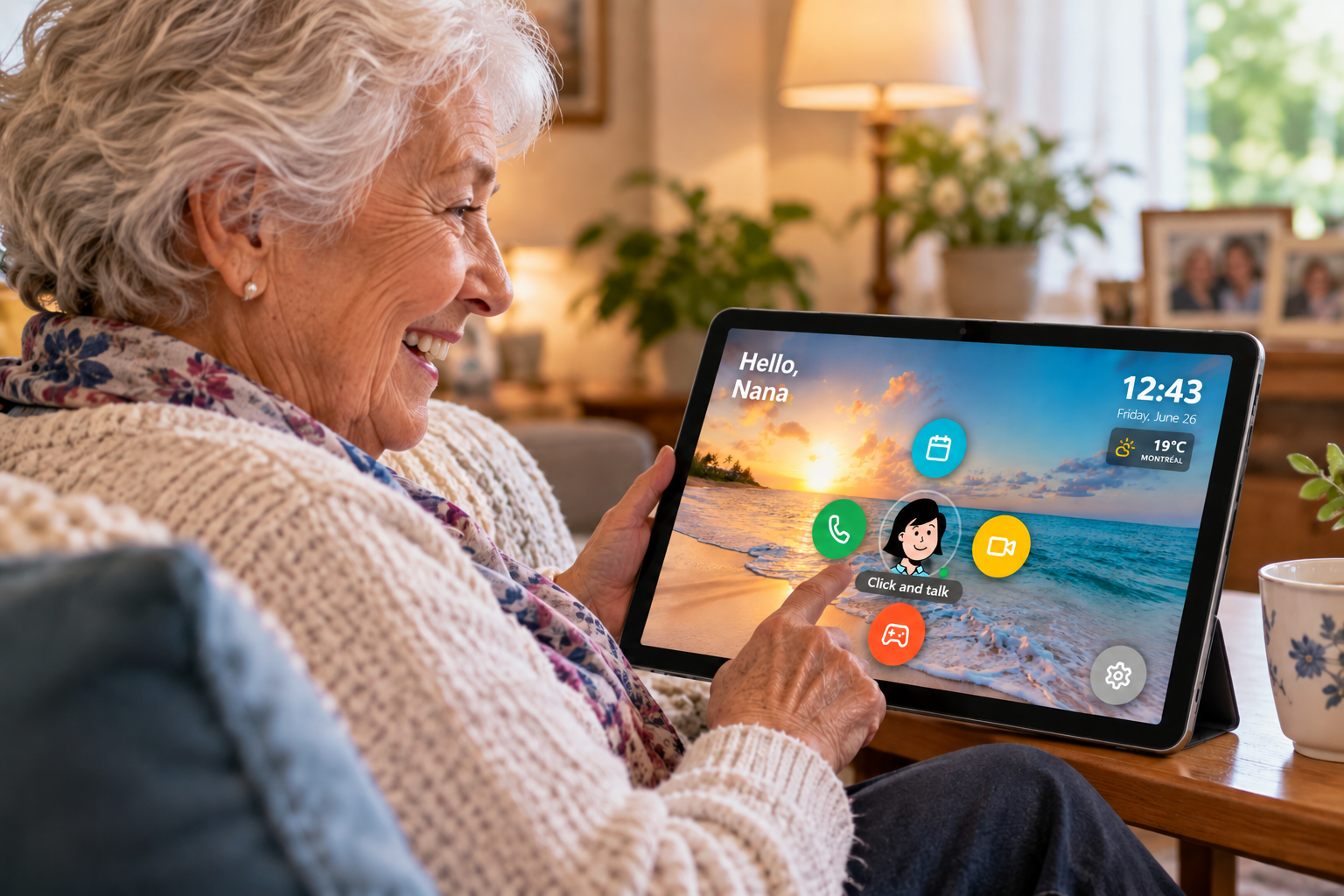
On a tablet, its interface uses large text and large controls to make its different features easy to reach.
Elodia brings together several ways to stay active and connected in one place: conversations, games, music, photos, reminders, video calls and other activities.
Family members can also use the Elodia dashboard to stay involved from a distance, including adding photos or reminders.
The idea is to reduce the number of steps it takes to reach everyday activities, rather than asking someone to navigate between several separate tools.
The best tablet is the one your loved one will actually use
So there’s no need to look for the most powerful device out there.
For an older adult, a good tablet is, above all, one that’s comfortable, easy to read, large enough and simple to use.
Before you buy, think about the person who will actually use it: their eyesight, their dexterity, their comfort with technology, and most of all, what they actually want to do with it.
And whenever possible, choose and set up the tablet with them, not just for them.